Seating & floor plans
Sweetheart Table vs. Head Table: Which Fits Your Wedding?
Compare sweetheart and head tables by guest mix, conversation, partner seating, family dynamics, room placement, capacity, and final vendor handoff.
Choose the conversation you want during dinner
A sweetheart table seats the couple together at their own small table. A head table seats the couple with selected members of the wedding party, and sometimes those members’ partners. The practical difference is not a rule of etiquette; it is who shares the couple’s dinner conversation and how many people the room must hold at one featured table.
A sweetheart table creates a quieter home base. The couple can speak privately, eat together, and still visit other tables. A head table makes dinner more communal: the couple stays in the wedding party’s conversation, while everyone at that table shares the attention, service flow, and sightline that come with its placement.
Mira’s seating workspace may label its built-in two-seat preset “Honeymoon Table.” It is the same small-table concept, but “sweetheart table” is the clearer public term and is also used elsewhere in Mira’s floor-plan tools. Table names, capacities, shapes, and themes can be customized, so the workspace label does not need to become the wording on your venue plan or printed pieces.
Decide exactly who belongs at the table
For a sweetheart table, the planned occupants are the couple. Everyone else—including the wedding party, their partners, and close family—needs a place at another table. This can make partner seating straightforward because wedding-party members can sit with their own partners or households rather than separating for dinner.
For a head table, write the guest list before choosing the furniture. “The wedding party” may mean attendants only, attendants and their partners, a smaller group of closest friends, or another group the couple intentionally chooses. If partners are included, confirm that the full group fits. If they are not, make sure each partner has familiar company elsewhere rather than treating them as leftover placements.
Family dynamics matter too. A head table can keep a close group together, but it can also concentrate relationships that need more space. A sweetheart table avoids making the couple’s table a statement about which relatives or friends were included, yet it does not solve tensions at the surrounding tables. Use only the boundaries and connections that matter, and review the generated arrangement yourself.
For divorced parents, estranged relatives, caregivers, and other sensitive placements, use the wedding seating rules for real family dynamics to separate firm requirements from flexible preferences before deciding where the wedding party and family tables belong.
Place the table in the actual room
The featured table should work from the seats, not only in a floor-plan thumbnail. Check whether the couple and tablemates can see speeches, key entrances, and the dance floor without spending dinner turned away from the room. Also check what guests see: a long head table may need a different orientation than a small sweetheart table.
Protect accessible routes and service paths. Leave the venue to confirm aisle clearance, exits, furniture dimensions, and any required turning or transfer space. If a member of the couple or wedding party has a mobility, hearing, vision, or caregiving need, choose the table and route around that need first rather than assuming the most visually prominent position will work.
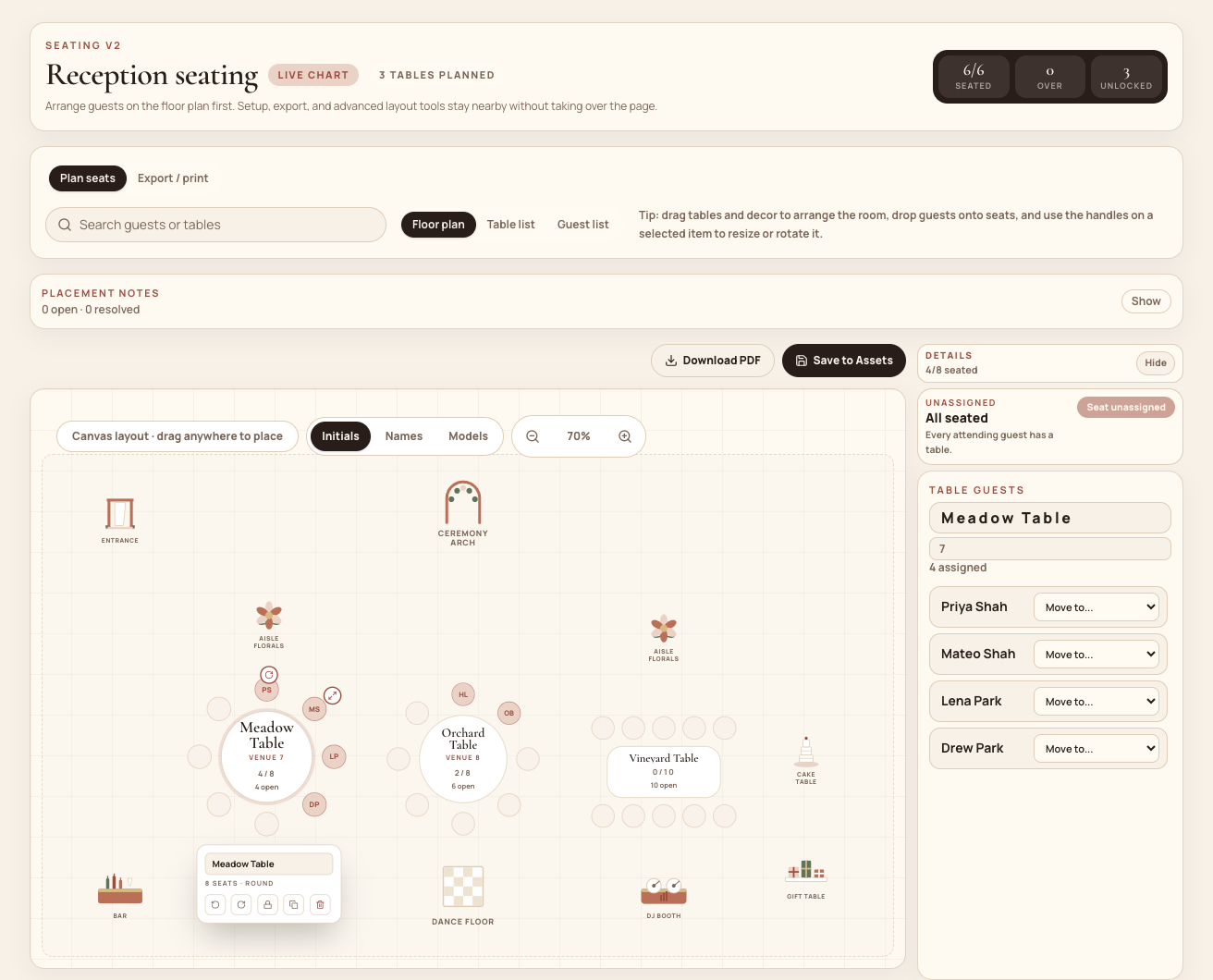
Mira’s floor-plan canvas lets you move, rotate, and resize round or rectangular tables and place modeled room elements including the entrance, dance floor, DJ booth, bar, buffet, cake table, florals, and an arch. The canvas is a manual planning surface, not a measured architectural plan, and the seating algorithm does not use canvas coordinates to judge sightlines or accessibility.
Once the room and guest list are ready, follow the RSVP-to-seating workflow to generate a what-if draft, inspect the physical plan, and promote it only after the placements work in the real room.
Count capacity without assuming the preset solves placement
Mira includes a two-seat sweetheart option and a twelve-seat rectangular head-table option in its current seating tools, but those are editable starting points—not venue standards. Use the capacity approved for the exact tables, chairs, place settings, décor, and service arrangement you will rent. A long table can have a different usable count once its ends, backdrop, or service access are considered.
When Mira generates a seating draft, selected special tables are created alongside the regular guest tables. Their capacity is only available space—not proof that the intended people were assigned there or that every remaining guest has a regular seat. The generator still needs explicit placement intent: it does not identify the couple or infer who counts as the wedding party from a table name. Add exact-table rules for the couple and any head-table group, then confirm both those assignments and the remaining table count manually.
Keep every seated person in the overall attending count. Record the special table’s real capacity and planned occupants separately when estimating tables, especially if a head table has open seats that you do not intend to fill.
Use the wedding table-count guide and calculator to compare the special-table occupants with the regular-table capacity before rentals or the room plan are finalized.
Carry the decision into décor and vendor files
A sweetheart table may have its own scale, shape, backdrop, or floral treatment. A head table may require a longer linen plan, more place settings, and a wider visual composition. Those are design and vendor questions, not automatic consequences of the seating label. Confirm what the venue and décor team will supply, then use a clear venue-facing table name that matches the final setup.
Mira can keep the table name, venue name, capacity, shape, theme, notes, and guest assignments with the seating plan. Its floor-plan PDF carries the arranged tables and modeled room elements into the setup handoff. Configurable CSV exports can include table and seat numbers, names, meals, table capacity, shape, theme, notes, and lock status.
For guest-facing materials, Mira provides seating-board, place-card, poster, and table-sign print paths, and it can store related Canva design links. It does not design décor, verify production dimensions for every printer, synchronize Canva edits, or place a print order. Finalize the table name and occupants before exporting, then ask the venue, stationer, and printer to confirm the files they need.
Use the smaller decision checklist
Neither option is required. The couple can sit at a regular guest table with family or friends, move between seats during the meal if the venue can support it, or choose another arrangement that fits the service plan. A special table earns its place only when it improves the couple’s experience or makes the room and handoff clearer.
When you are ready to test the choice, open Mira’s wedding seating chart planner and compare the table in the room instead of deciding from the label alone.
- Sweetheart: choose private couple conversation and seat the wedding party with their own groups.
- Head table: choose shared wedding-party conversation and list every intended occupant, including any partners.
- Either: confirm real capacity, sightlines, accessibility, service routes, and venue approval.
- In Mira: customize the preset, add exact-table rules, and verify every assignment in the draft.
- Before print: settle the venue-facing name, guest names, table notes, and final version.
- Neither: use a regular guest table when a featured table adds no practical value.
Common questions
Frequently asked questions
Is a honeymoon table different from a sweetheart table?
Not in Mira’s current seating workflow. The built-in two-seat preset may appear as “Honeymoon Table,” with a sweetheart-table theme and description. “Sweetheart table” is the clearer public term. You can rename the table for the venue and print handoff.
Do wedding-party partners sit at the head table?
They can, but Mira does not impose that choice. Decide who should share the conversation, count every intended occupant, and seat partners with familiar company if they will be elsewhere. Use exact-table rules for the chosen head-table group and verify the draft.
Will Mira automatically seat the couple at the sweetheart table?
No. Adding the special table creates capacity, but the generator does not infer the couple from the table name. Pin the couple to that table with exact-table rules, then confirm their assignments before promoting or exporting the draft.
Do we need either a sweetheart table or a head table?
No. The couple can sit at a regular table with guests if that better fits the relationships, room, accessibility needs, and service plan. Model the arrangement you will actually use and include the couple exactly once in the seating count.
Compare the choice in your room
Build the table around the people and the floor plan.
Create the special table you need, place it in the room, assign the right people, and prepare a clear vendor handoff.