Guest list
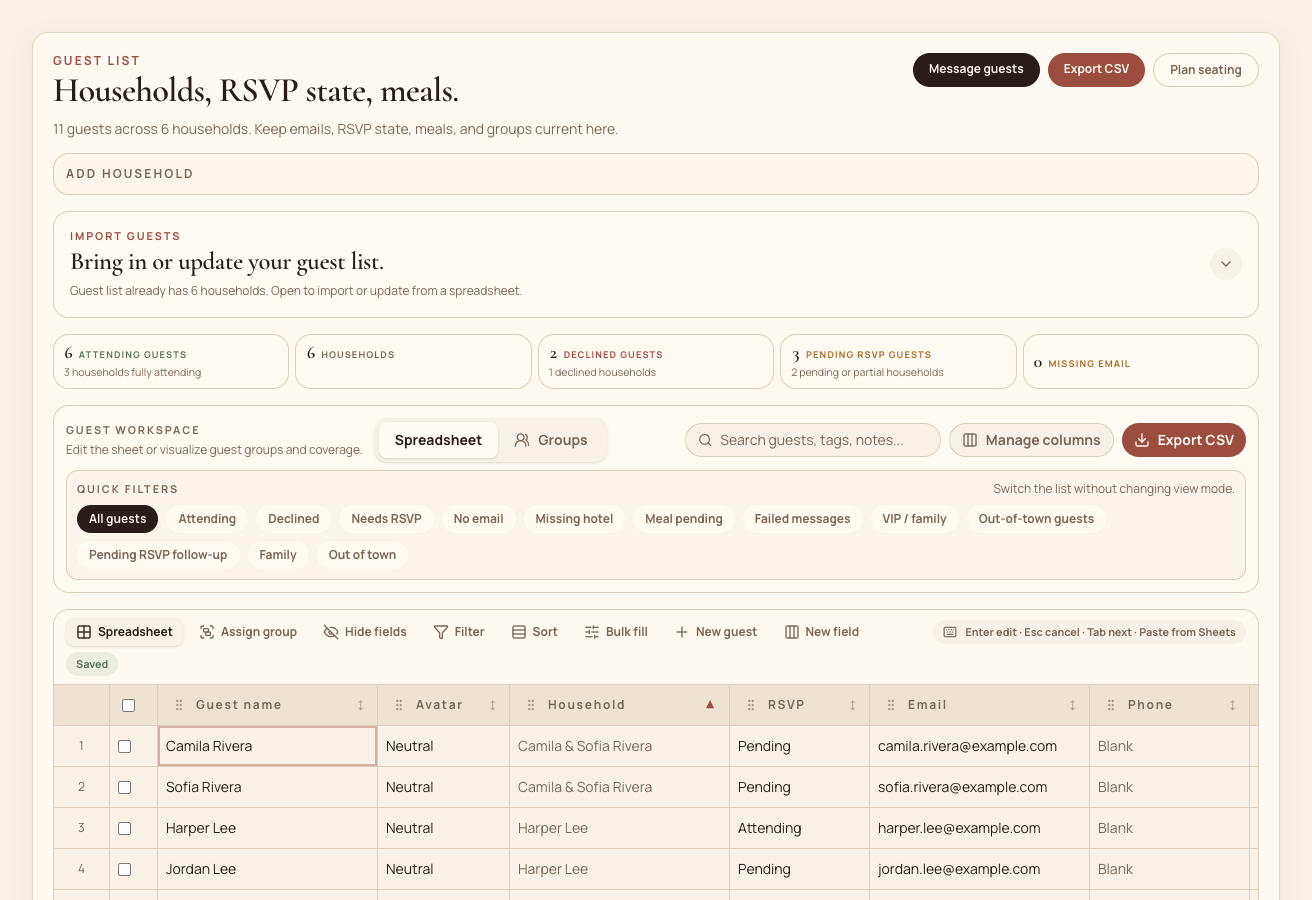
Track households, guests, RSVP state, meals, notes, tags, and custom planning fields in one spreadsheet-like surface.
Features for the work guests never see
Mira is built around the real work: guests, messages, tables, the day-of timeline, the calendar, music, and thank-you notes.
Nine surfaces, one workspace
Each surface below shares the same guest and household data, so nothing has to be re-entered twice.
Track households, guests, RSVP state, meals, notes, tags, and custom planning fields in one spreadsheet-like surface.
Filter the exact households that need a nudge, then send, resend, or review follow-ups without leaving the list.
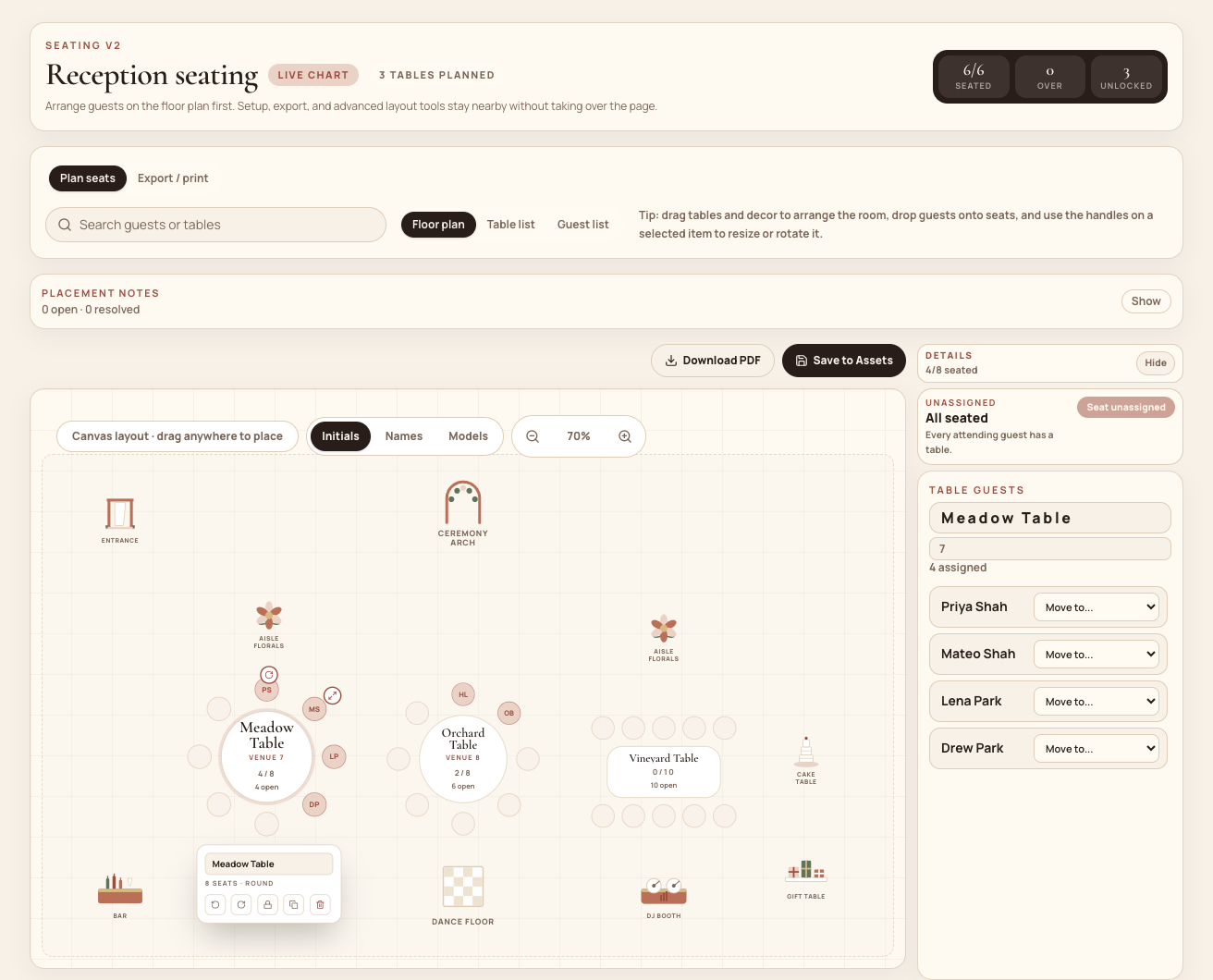
Turn RSVP yes guests into tables, keep households together, compare tables, and move guests through a calm floor plan.
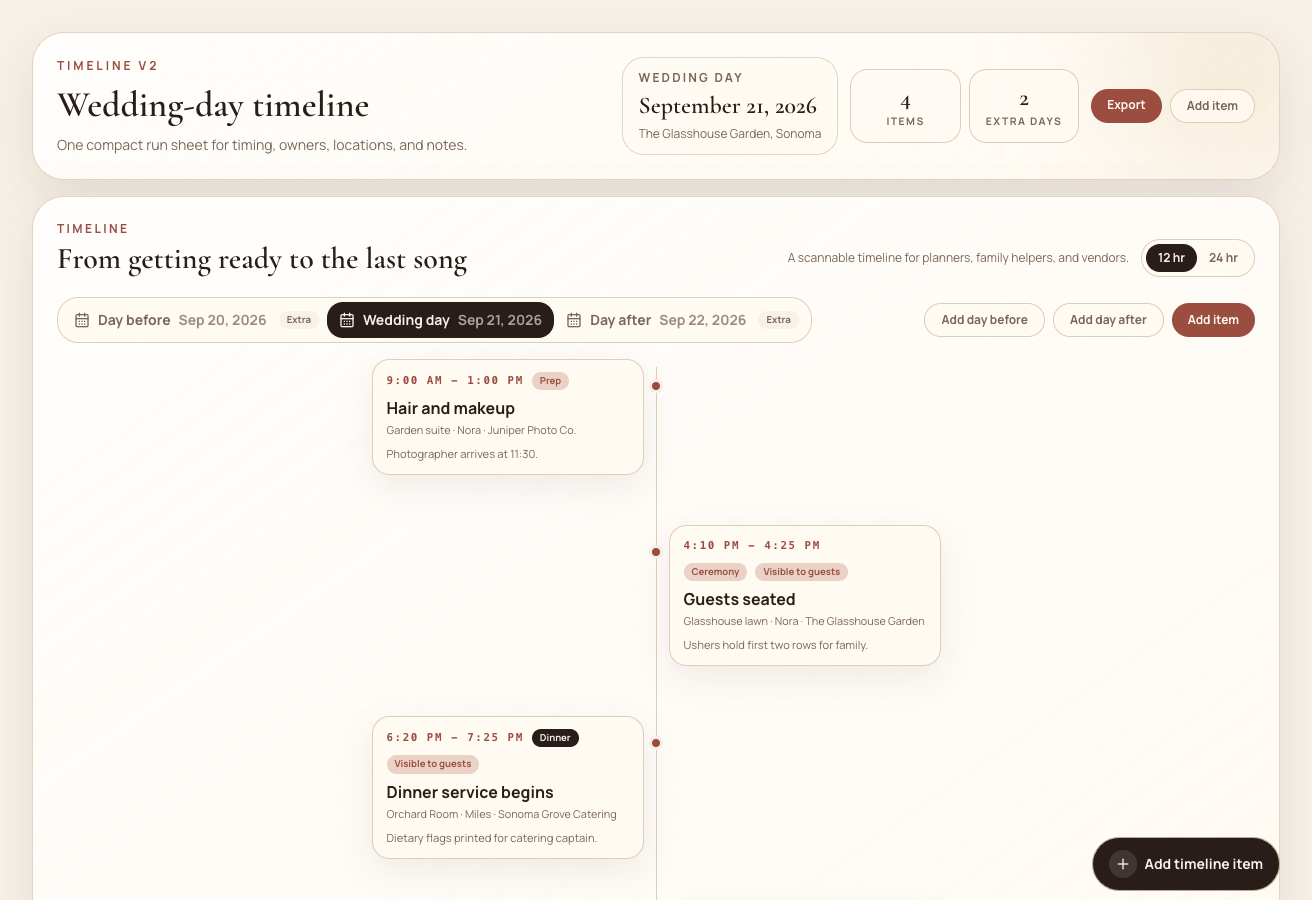
Build a wedding-day run sheet with time, owner, location, vendor, and handoff notes.
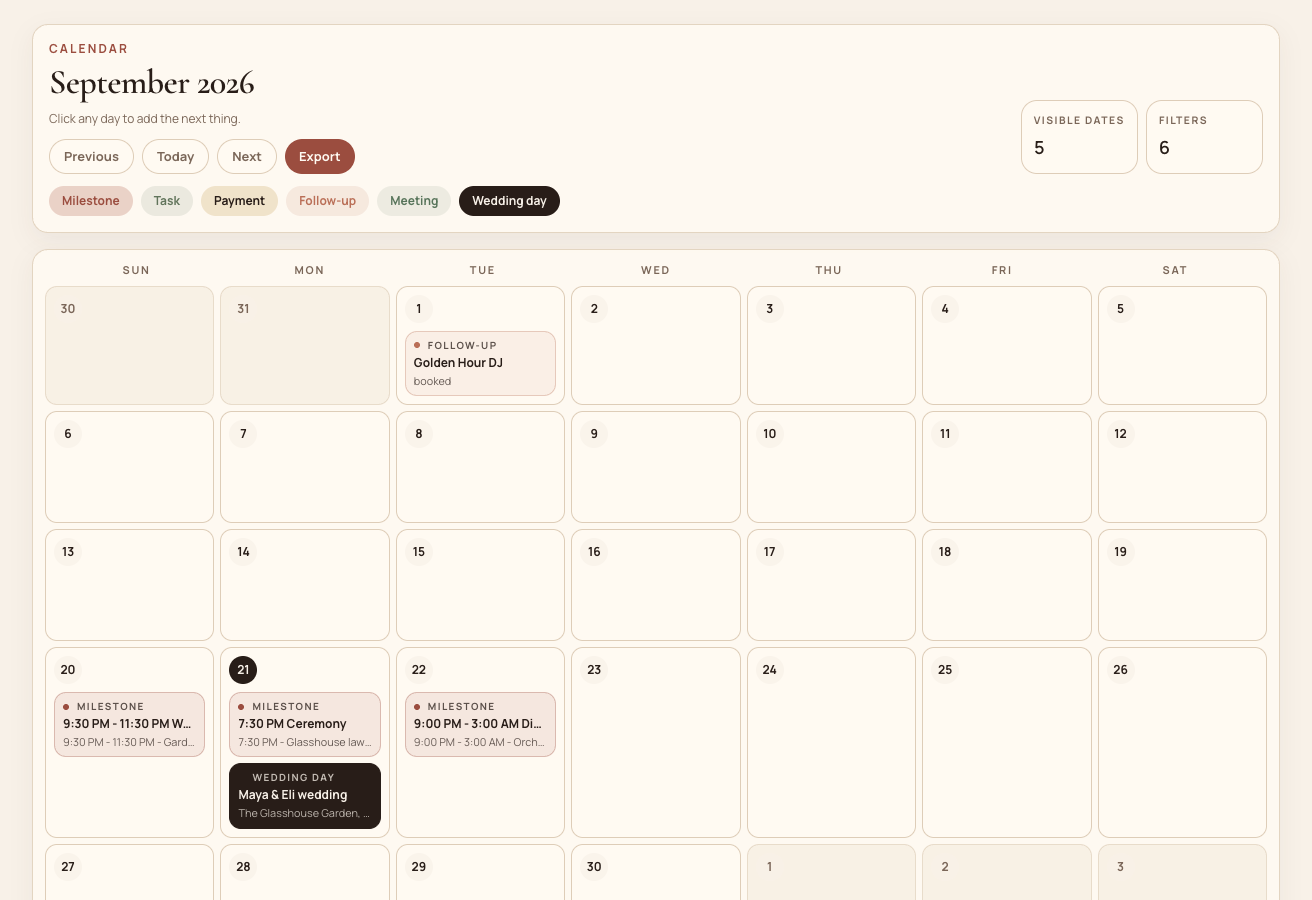
See milestones, tasks, payments, vendor follow-ups, meetings, and wedding events in one shared calendar.
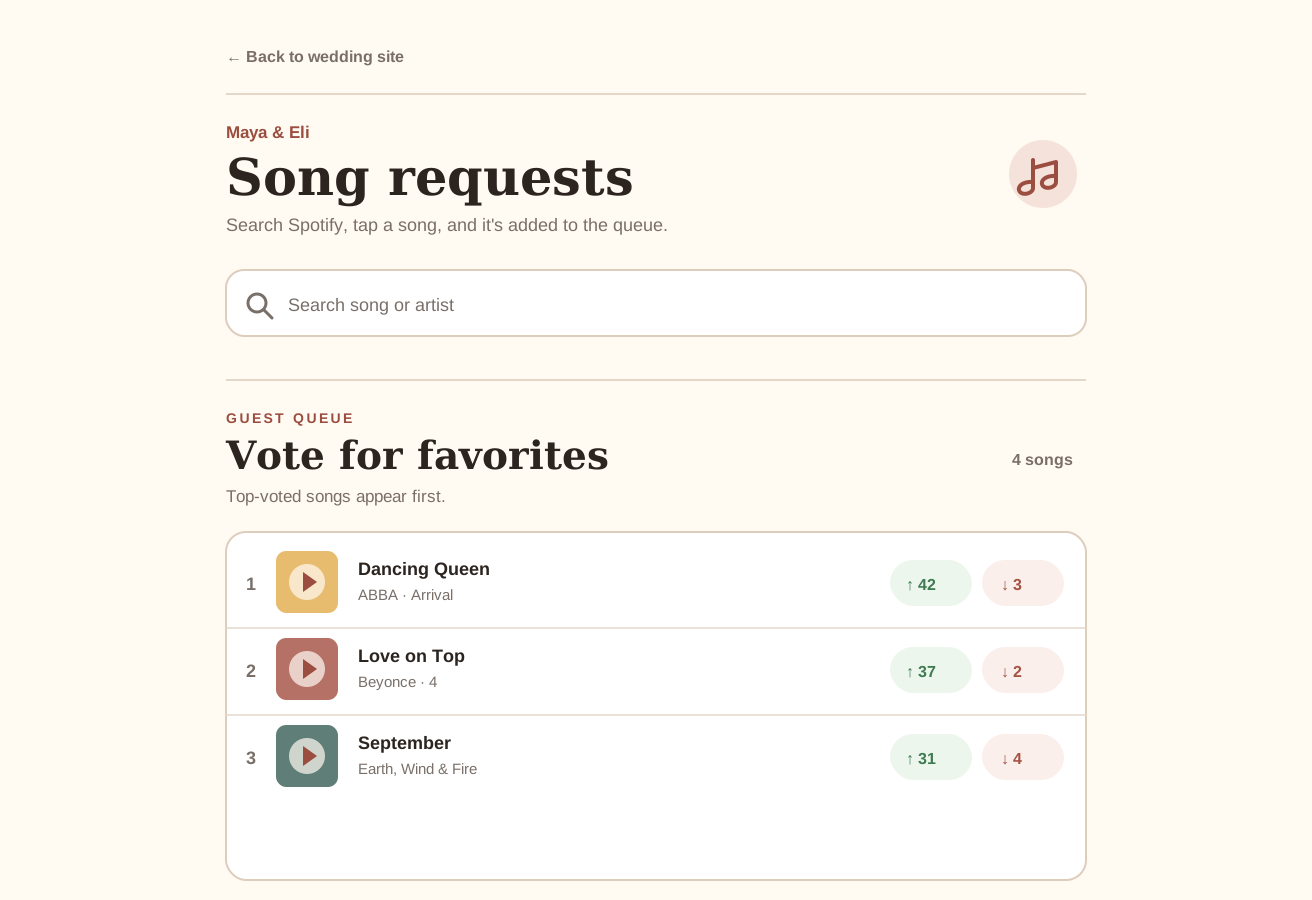
Give guests a Spotify-backed song page where they can make requests and vote favorites up or down, then moderate the queue for your DJ.
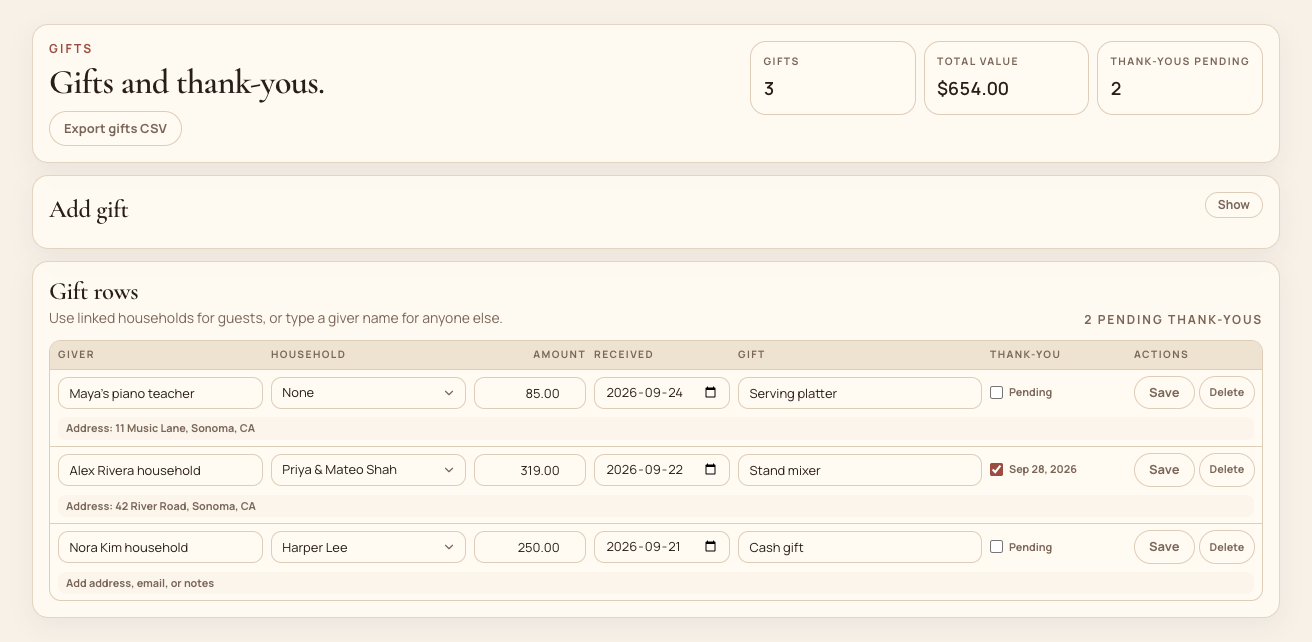
Log every gift, mailing address, and note status so no household is forgotten after the wedding.
Publish a themed wedding website straight from your workspace data, with schedule, travel, registry, and RSVP built in.
Pick a message type and a designed template, customize the copy, and send save-the-dates, invites, and reminders in minutes.
Guest list
Households, guests, meals, RSVP state, tags, groups, notes, and custom fields stay editable in one compact workspace.
Communications
Mira turns the guest list into a communications queue, so reminders and resend actions stay tied to RSVP and delivery state.
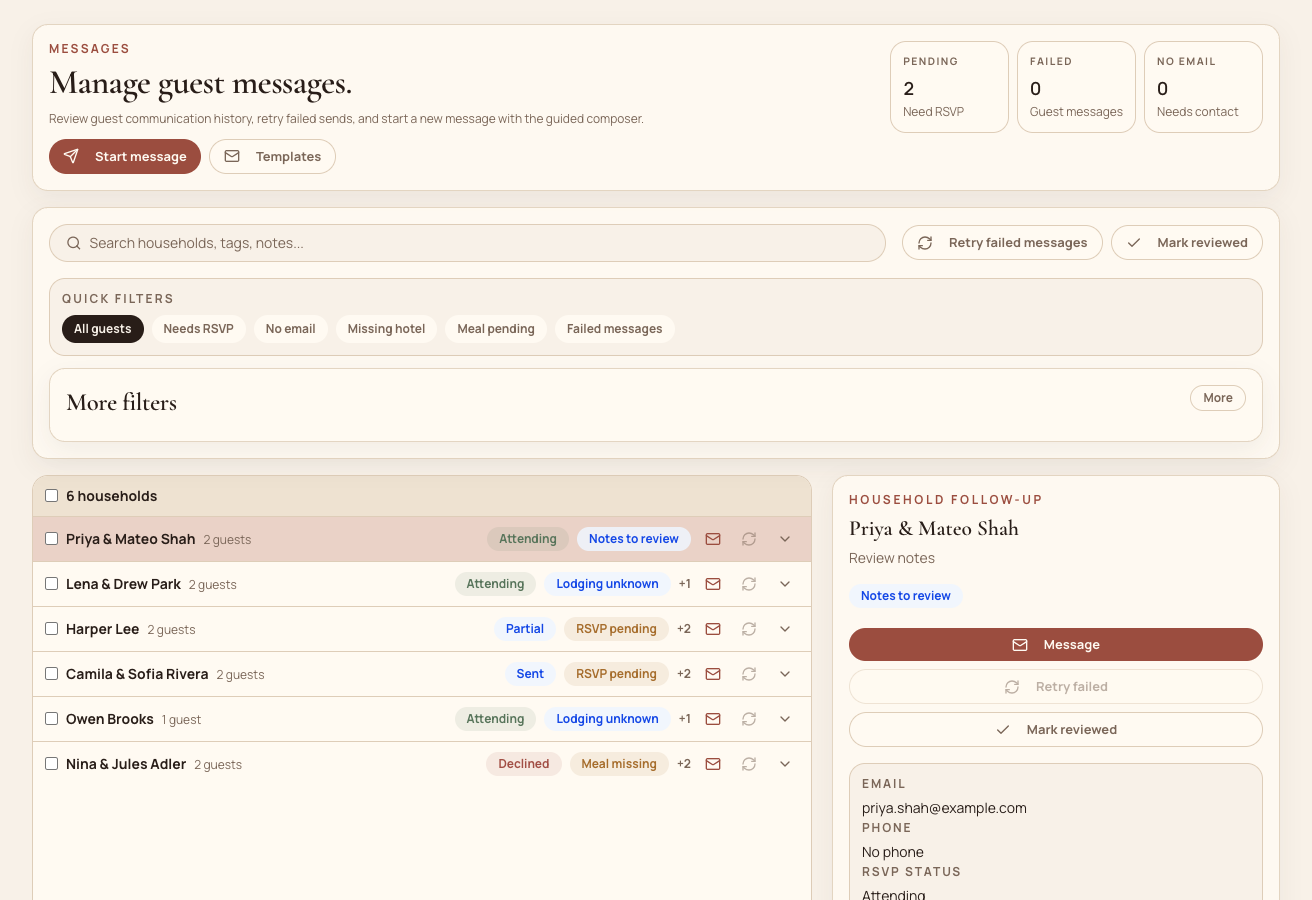
Table planning
The seating planner gives couples and planners a calm floor plan, unassigned guest list, table counts, and export-ready structure.
Timeline and day-of
Build the wedding-day sequence with timing, owners, locations, notes, and adjacent-day events for the full weekend.
Calendar
The calendar rolls up tasks, payments, vendor follow-ups, meetings, and wedding events so planning does not disappear into side lists.
Guest song voting
Share a web link where guests search Spotify, request songs, and vote favorites up or down. Approve what appears, move the strongest picks from still deciding to made the cut or must play, then hand the ranked list to your DJ.
Thank yous
Gifts link back to the same households on the guest list, so mailing addresses, emails, and thank-you status stay current without a separate list.
Questions
A few workflow questions that come up before couples move off spreadsheets.
Yes. Invite collaborators with roles so a planner, parent, or partner can edit the same workspace without sharing one login.
Yes. Bring in your current spreadsheet and match columns to households, guests, and RSVP state instead of re-typing everything.
Yes. The floor plan, table lists, and guest search all work on mobile, so day-of adjustments do not require a laptop.
Why it works
Guest data powers reminders. RSVP state informs seating. The timeline, calendar, music, and thank-you notes all turn decisions into the final handoff.