Guests & RSVPs
Wedding RSVP tracking and reminders
Households, plus-ones, meal choices, delivery status, reminder timing, and clean exports.
What actually needs tracking
An RSVP list is more than a yes/no column. Real tracking means households (not just individual names), plus-ones, meal choices per guest, dietary tags and notes, mailing addresses, invite delivery status, and current RSVP state — attending, pending, or declined. Missing any one of those means someone ends up cross-referencing a second list later, usually close to a deadline.
Mira's guest list keeps all of that in one polished table instead of splitting it across a spreadsheet, a paper stack of RSVP cards, and a separate meal-count tally for the caterer.
- Household and individual guest names
- Plus-one permissions and names
- Attendance state and response date
- Meal selections, dietary needs, and accessibility notes
- Invite delivery and reminder history
Turning the list into action
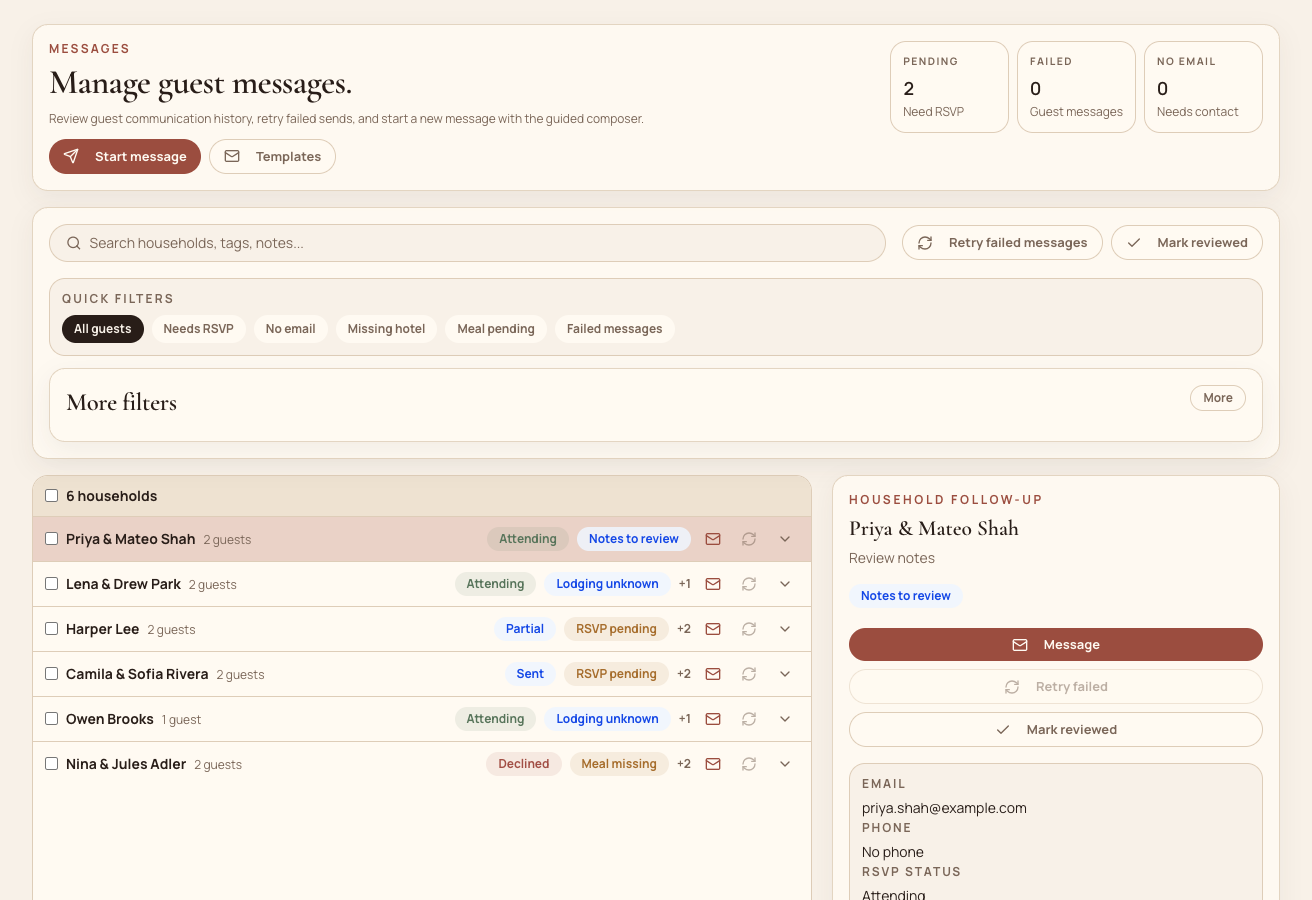
Tracking RSVP state only helps if it is easy to act on. Mira's guest communications turn the guest list into a queue: filter to exactly the households that have not responded yet, then send, resend, or review follow-ups without leaving that filtered view. Delivery and message history stay attached to each household, so a follow-up does not depend on remembering who was already reminded.
Because the reminder queue and the guest list are the same data, an RSVP that comes in updates the same row a reminder was about to go out to — there is no separate list to reconcile afterward.
Exporting when you need to
Not every step happens inside the workspace. Caterers and venues usually want a plain guest or meal-count export. Mira supports a CSV export for exactly that case, so the operational workspace does not become a dead end when a vendor needs a simple file instead of a login. See how the rest of the workflow fits together in our guide to planning a wedding without spreadsheets.
Common questions
Frequently asked questions
Should wedding RSVPs be tracked by household or by guest?
Use both. Invitations and reminders usually operate at the household level, while attendance, meal choices, dietary needs, and plus-one details need to be recorded for each individual guest.
When should RSVP reminders be sent?
Send a polite reminder after invitees have had enough time to receive and consider the invitation, then follow up with nonresponders before the final venue or catering deadline. Keep each reminder tied to the current RSVP list so recent responses are excluded.
What should be included in a caterer export?
Include each attending guest, household, meal selection, dietary requirements, and any accessibility notes the caterer or venue needs. Confirm the format and cutoff date with the vendor before sending it.
Make follow-up manageable
Keep every response and reminder on the same list.
Import your guests, organize households, and see what still needs an answer without reconciling another spreadsheet.