Planning systems
Wedding planning without spreadsheets
How to replace scattered sheets, texts, emails, and PDFs with a calmer wedding operations workspace.
Where spreadsheets break down
Most wedding planning starts in a spreadsheet, and for a while that works fine. The trouble starts once the wedding has real moving parts: a guest list living in one tab, vendor contracts scattered across email threads, payment due dates split between a notes app and a calendar reminder, and a day-of schedule drafted in a shared doc that three people have slightly different versions of.
None of those tools talk to each other. A guest who changes their RSVP in a text message does not update the meal count in the spreadsheet. A vendor payment date buried in a contract PDF does not show up anywhere until someone remembers to go looking for it. The work does not get harder because any one step is hard — it gets harder because there is no single place holding the current, correct version of anything.
What one workspace changes
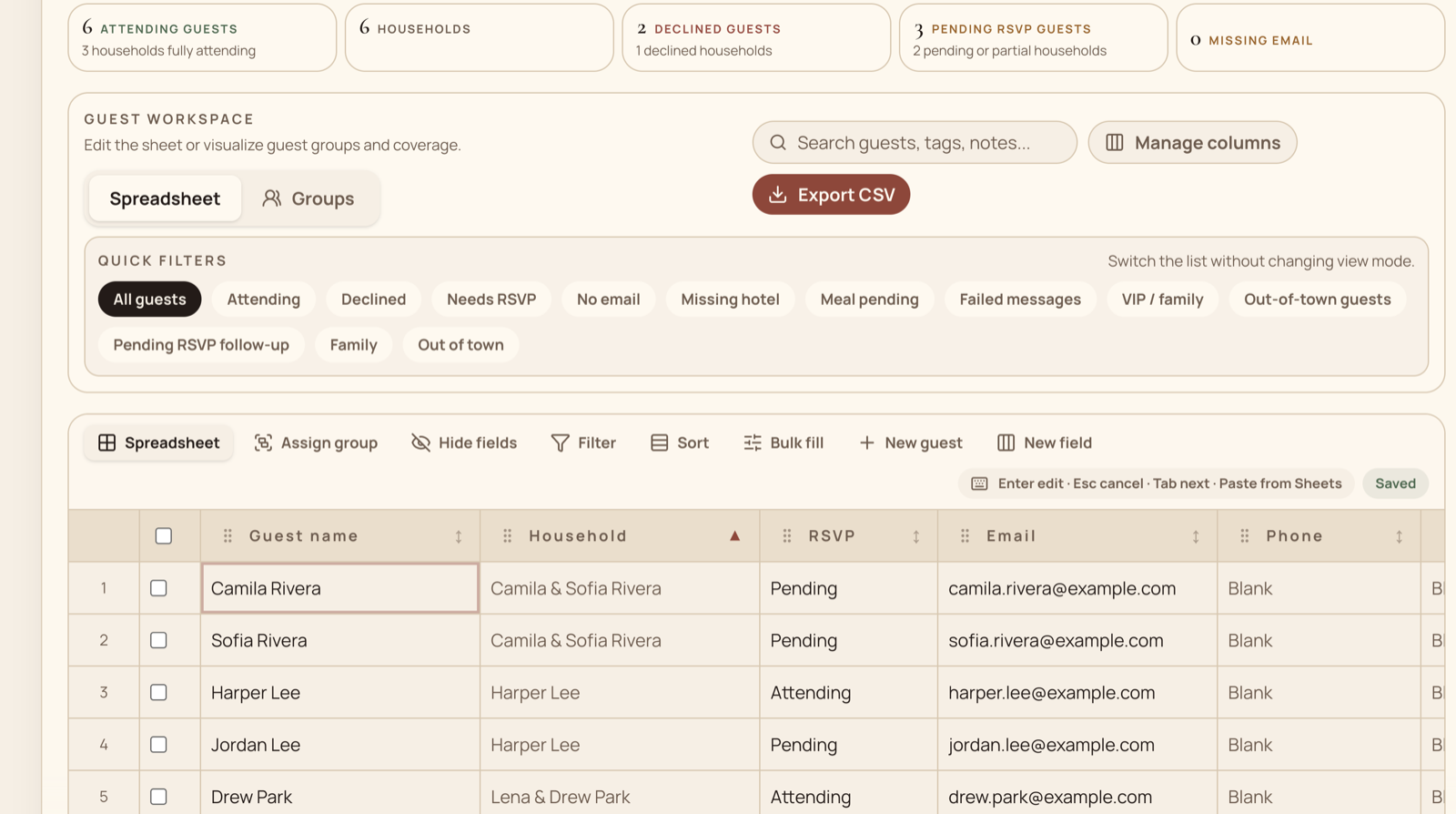
Mira keeps the planning data in one place instead of splitting it across tools. The guest list holds households, RSVP state, and meal choices together, so when a guest responds, that is the guest list — not a separate sync step. Vendor documents, payment due dates, and contacts live alongside that guest data instead of in a personal inbox.
The same data powers the parts guests actually see: a published wedding website, RSVP links, and travel details all read from the workspace instead of a second copy that has to be kept up to date by hand. A day-of timeline and calendar round out the operational side, so milestones, vendor follow-ups, and the wedding-day run sheet are next to the guest and vendor data they depend on.
- One current guest and household list
- Vendor documents beside contacts and due dates
- A shared timeline for milestones and wedding-day handoffs
- Published guest details sourced from approved planning data
Getting started without redoing everything
Switching tools does not have to mean re-typing a guest list from scratch. Mira can import an existing spreadsheet and match its columns to households, guests, and RSVP state, so the current list carries over instead of starting empty. From there, a planner, partner, or family member can be invited as a collaborator with their own role, so the workspace does not depend on one person's inbox or one person's laptop.
The free tier is meant for exactly this stage: shaping the guest list and workspace before committing to a paid plan. There is no requirement to move every vendor document over on day one — most couples bring things in gradually as they get further into planning.
Common questions
Frequently asked questions
Do we need to replace every planning tool at once?
No. Start with the information that changes most often, usually the guest list and current vendor commitments, then move documents and timeline details over as you use them.
Can we import an existing wedding spreadsheet?
Yes. Mira supports guest-list imports with column matching so households, guests, RSVP state, and related details can move into the workspace without being retyped.
Can a planner or family member work in the same workspace?
Yes. Collaborators can have their own access instead of sharing one person's inbox, spreadsheet login, or laptop.
Put the guide into practice
Bring the moving parts into one calm workspace.
Start with the list you already have, then add vendors, dates, documents, and handoffs as the plan takes shape.